plasmo是一个开源的浏览器插件框架,开发者可以很方便的使用React、Vue等框架开发浏览器插件。
而shadcn/ui是基于tailwindcss的ui框架,近一年非常受欢迎
而本文将逐步讲解如何在plasmo中使用shadcn/ui
初始化项目
首先需要新建一个plasmo项目,可以使用plasmo的tailwindcss模板,也可以创建最原始的模板。这里我们为了兼容从已有项目接入tailwindcss的情况,创建的是最基础的模板,从零到一接入tailwindcss以及shadcn/ui
pnpm create plasmo --with-src创建后的文件目录如下:
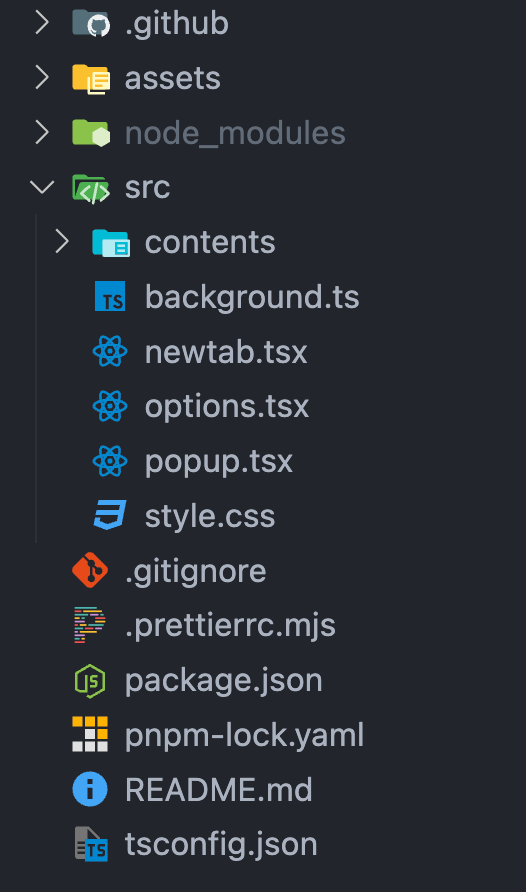
删除无用的文件,background、newtab不需要。newtab、options和popup本质上都是插件页,引入tailwindcss的方式是一样的,但是options和popup这两个页面比较常用,所以都保留。
安装以及初始化tailwindcss
安装
pnpm add tailwindcss
pnpm add postcss --save-dev
配置
在项目根目录下新建postcss.config.js以及tailwind.config.js
其中postcss.config.js内容为
/**
 * @type {import('postcss').ProcessOptions}
 */
module.exports = {
  plugins: {
    tailwindcss: {}
  }
}tailwind.config.js内容为
/** @type {import('tailwindcss').Config} */
module.exports = {
  content: ["./src/**/*.{tsx,html}"],
  darkMode: ["class"],
  prefix: "plasmo-"
}
为什么要设置tailwindcss的prefix为「plasmo-」?
因为这样可以避免CSUI不使用shadow dom渲染的时候与宿主页的样式有冲突,当然去掉前缀也是可以的,一切取决于开发中的实际情况
之后编辑style.css的内容,引入tailwindcss的样式
@tailwind base;
@tailwind components;
@tailwind utilities;
插件页引入
如果是插件页,直接引入这个style.css即可,下面是popup的示例:
import { useReducer } from "react"

import "~style.css"

function IndexPopup() {
  const [count, increase] = useReducer((c) => c + 1, 0)

  return (
    <div className="plasmo-flex plasmo-items-center plasmo-justify-center plasmo-h-16 plasmo-w-40">
      <button
        onClick={() => increase()}
        type="button"
        className="plasmo-flex plasmo-flex-row plasmo-items-center plasmo-px-4 plasmo-py-2 plasmo-text-sm plasmo-rounded-lg plasmo-transition-all plasmo-border-none
      plasmo-shadow-lg hover:plasmo-shadow-md
      active:plasmo-scale-105 plasmo-bg-slate-50 hover:plasmo-bg-slate-100 plasmo-text-slate-800 hover:plasmo-text-slate-900">
        Count:
        <span className="plasmo-inline-flex plasmo-items-center plasmo-justify-center plasmo-w-8 plasmo-h-4 plasmo-ml-2 plasmo-text-xs plasmo-font-semibold plasmo-rounded-full">
          {count}
        </span>
      </button>
    </div>
  )
}

export default IndexPopup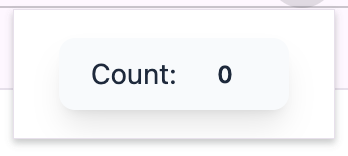
可以看到tailwindcss已经生效了。
CSUI 引入
在CSUI中引入需要将css文件的原内容导出给plasmo以供插入样式到页面
import cssText from "data-text:~style.css"
import type { PlasmoCSConfig } from "plasmo"
import { useReducer } from "react"

export const config: PlasmoCSConfig = {
  matches: ["https://www.plasmo.com/*"]
}

export const getStyle = () => {
  const style = document.createElement("style")
  style.textContent = cssText
  return style
}

const PlasmoOverlay = () => {
  const [count, increase] = useReducer((c) => c + 1, 0)

  return (
    <div className="plasmo-z-50 plasmo-flex plasmo-fixed plasmo-top-32 plasmo-right-8">
      <button
        onClick={() => increase()}
        type="button"
        className="plasmo-flex plasmo-flex-row plasmo-items-center plasmo-px-4 plasmo-py-2 plasmo-text-sm plasmo-rounded-lg plasmo-transition-all plasmo-border-none
      plasmo-shadow-lg hover:plasmo-shadow-md
      active:plasmo-scale-105 plasmo-bg-slate-50 hover:plasmo-bg-slate-100 plasmo-text-slate-800 hover:plasmo-text-slate-900">
        Count:
        <span className="plasmo-inline-flex plasmo-items-center plasmo-justify-center plasmo-w-8 plasmo-h-4 plasmo-ml-2 plasmo-text-xs plasmo-font-semibold plasmo-rounded-full">
          {count}
        </span>
      </button>
    </div>
  )
}

export default PlasmoOverlay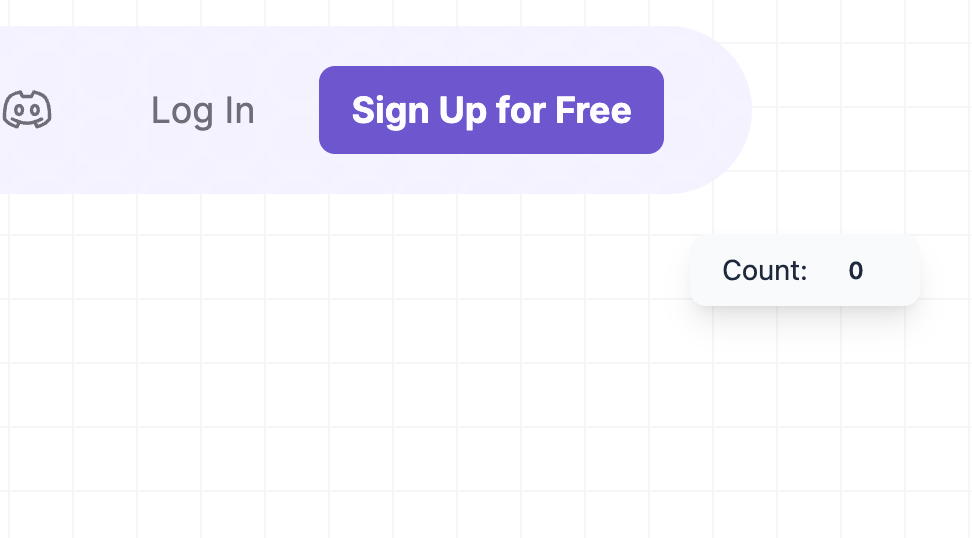
可以看到页面上已经正常渲染了
小tip
如果多个页面引入同一个tailwindcss,会导致其他页面最终引入的css文件中可能有没有使用过的tailwindcss类;这时可以采用多个tailwindcss,参考:with-multiple-tailwindcss
安装shadcn/ui
由于shadcn/ui的本质是将代码放到你的项目中,所以直接复制组件的源代码到项目中也是可以的,但是这样增加插件就会比较复杂,并且我们自定义了tailwindcss的前缀,这些都要我们去兼容,不是很方便
最方便的安装方法还是使用shadcn/ui的cli自动化安装组件。
初始化
因为shadcn/ui默认使用的是「@/」作为源代码的自定义路径,所以首先编辑tsconfig.json,增加「@/」路径,不如初始化的时候路径会出问题
{
  "extends": "plasmo/templates/tsconfig.base",
  "exclude": ["node_modules"],
  "include": [".plasmo/index.d.ts", "./**/*.ts", "./**/*.tsx"],
  "compilerOptions": {
    "paths": {
      "~*": ["./src/*"],
      "@/*": ["./src/*"]
    },
    "baseUrl": "."
  }
}
首先按照官网的指引,初始化shadcn/ui
pnpm dlx shadcn-ui@latest init初始化时的配置如下:
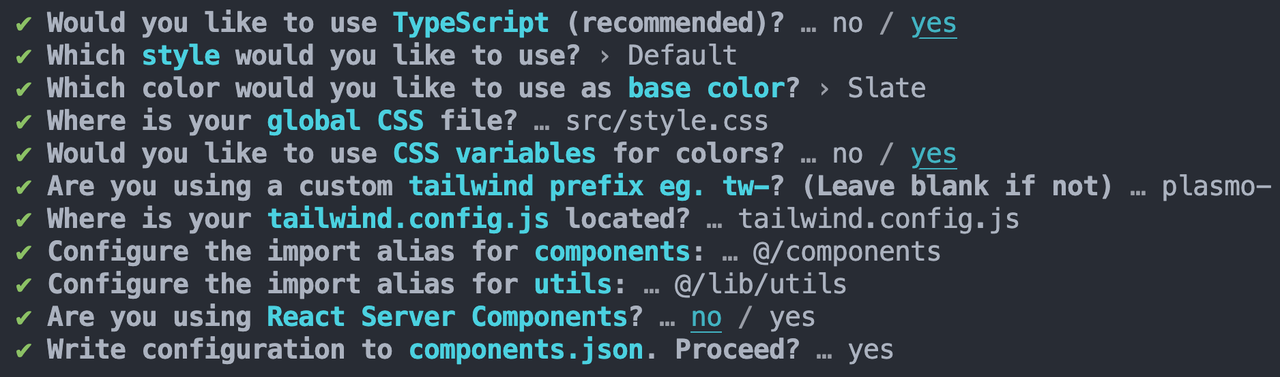
✔ Would you like to use TypeScript (recommended)? … no / yes
✔ Which style would you like to use? › Default
✔ Which color would you like to use as base color? › Slate
✔ Where is your global CSS file? … src/style.css
✔ Would you like to use CSS variables for colors? … no / yes
✔ Are you using a custom tailwind prefix eg. tw-? (Leave blank if not) … plasmo-
✔ Where is your tailwind.config.js located? … tailwind.config.js
✔ Configure the import alias for components: … @/components
✔ Configure the import alias for utils: … @/lib/utils
✔ Are you using React Server Components? … no / yes
✔ Write configuration to components.json. Proceed? … yes
自定义了global css的位置;tailwind的前缀;不使用rsc
这时候的目录如下
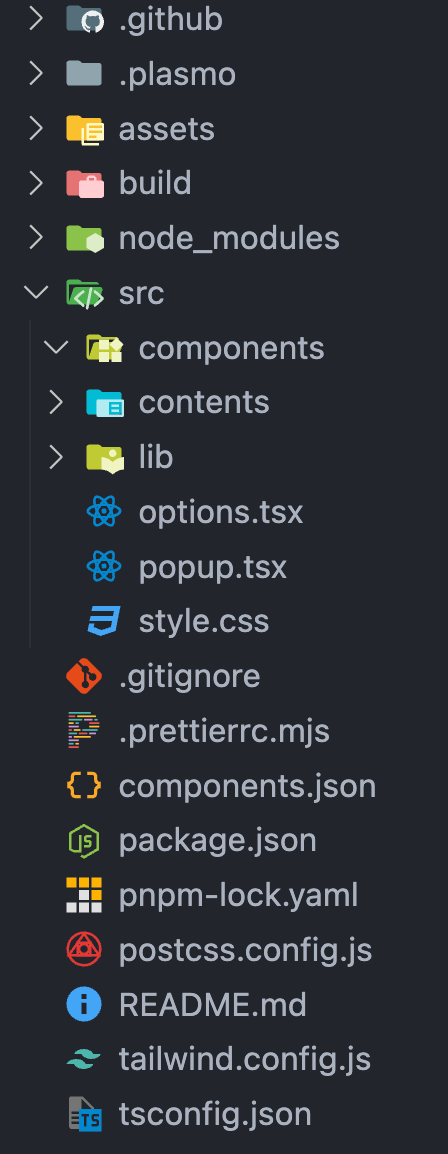
可以看到src目录下已经添加了components以及lib,根目录也有了components.json,并且style.css的内容也已经更改
安装组件
尝试安装一下Button
pnpm dlx shadcn-ui@latest add button就可以看到components目录下生成了ui文件夹,里面已经有了button.tsx,并且前缀也是我们定义的「plasmo-」
import { cn } from "@/lib/utils"
import { Slot } from "@radix-ui/react-slot"
import { cva, type VariantProps } from "class-variance-authority"
import * as React from "react"

const buttonVariants = cva(
  "plasmo-inline-flex plasmo-items-center plasmo-justify-center plasmo-whitespace-nowrap plasmo-rounded-md plasmo-text-sm plasmo-font-medium plasmo-ring-offset-background plasmo-transition-colors focus-visible:plasmo-outline-none focus-visible:plasmo-ring-2 focus-visible:plasmo-ring-ring focus-visible:plasmo-ring-offset-2 disabled:plasmo-pointer-events-none disabled:plasmo-opacity-50",
  {
    variants: {
      variant: {
        default:
          "plasmo-bg-primary plasmo-text-primary-foreground hover:plasmo-bg-primary/90",
        destructive:
          "plasmo-bg-destructive plasmo-text-destructive-foreground hover:plasmo-bg-destructive/90",
        outline:
          "plasmo-border plasmo-border-input plasmo-bg-background hover:plasmo-bg-accent hover:plasmo-text-accent-foreground",
        secondary:
          "plasmo-bg-secondary plasmo-text-secondary-foreground hover:plasmo-bg-secondary/80",
        ghost: "hover:plasmo-bg-accent hover:plasmo-text-accent-foreground",
        link: "plasmo-text-primary plasmo-underline-offset-4 hover:plasmo-underline"
      },
      size: {
        default: "plasmo-h-10 plasmo-px-4 plasmo-py-2",
        sm: "plasmo-h-9 plasmo-rounded-md plasmo-px-3",
        lg: "plasmo-h-11 plasmo-rounded-md plasmo-px-8",
        icon: "plasmo-h-10 plasmo-w-10"
      }
    },
    defaultVariants: {
      variant: "default",
      size: "default"
    }
  }
)

export interface ButtonProps
  extends React.ButtonHTMLAttributes<HTMLButtonElement>,
    VariantProps<typeof buttonVariants> {
  asChild?: boolean
}

const Button = React.forwardRef<HTMLButtonElement, ButtonProps>(
  ({ className, variant, size, asChild = false, ...props }, ref) => {
    const Comp = asChild ? Slot : "button"
    return (
      <Comp
        className={cn(buttonVariants({ variant, size, className }))}
        ref={ref}
        {...props}
      />
    )
  }
)
Button.displayName = "Button"

export { Button, buttonVariants }
在popup中使用
import { useReducer } from "react"

import { Button } from "~components/ui/button"

import "~style.css"

function IndexPopup() {
  const [count, increase] = useReducer((c) => c + 1, 0)

  return (
    <div className="plasmo-flex plasmo-items-center plasmo-justify-center plasmo-h-16 plasmo-w-40">
      <Button onClick={increase}>count: {count}</Button>
    </div>
  )
}

export default IndexPopup
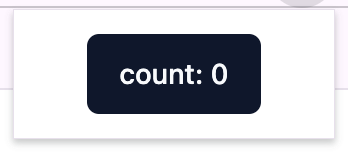
发现正常展示
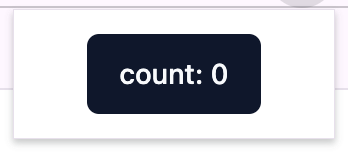
但如果直接在CSUI中引入使用的话,会发现展示并不正常
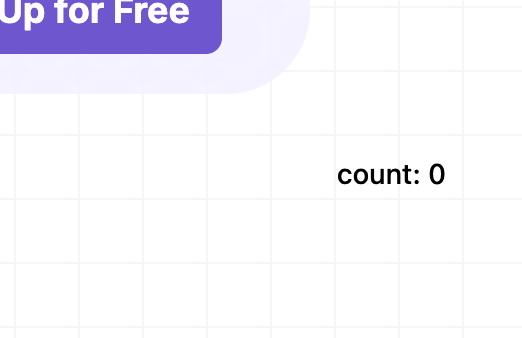
这是因为style.css中的css variables没有生效,这时有两个办法
一个是将components.json中的cssVariables修改为false、删除tailwindcss中所有关于css变量的配置、删除style.css中的css变量,并且删除component/ui/button.tsx之后重装button组件,这时重新安装的组件中会包含颜色,CSUI会显示正常。(或者在最开始初始化的时候将Would you like to use CSS variables for colors?设置为no)
但这样的缺点就是没有办法统一修改主题了,想要修改就只能在组件内修改,并且改动的地方较多。
那么第二个方法就是将没有生效的css variables重新生效:
修改style.css中的css,将csui Root Container的id添加上(当然如果自定义了CSUI的Root Container Id的话要同步修改)
@tailwind base;
@tailwind components;
@tailwind utilities;

@layer base {

  #plasmo-shadow-container,
  :root {
    --background: 0 0% 100%;
    --foreground: 222.2 84% 4.9%;
    --card: 0 0% 100%;
    --card-foreground: 222.2 84% 4.9%;
    --popover: 0 0% 100%;
    --popover-foreground: 222.2 84% 4.9%;
    --primary: 222.2 47.4% 11.2%;
    --primary-foreground: 210 40% 98%;
    --secondary: 210 40% 96.1%;
    --secondary-foreground: 222.2 47.4% 11.2%;
    --muted: 210 40% 96.1%;
    --muted-foreground: 215.4 16.3% 46.9%;
    --accent: 210 40% 96.1%;
    --accent-foreground: 222.2 47.4% 11.2%;
    --destructive: 0 84.2% 60.2%;
    --destructive-foreground: 210 40% 98%;
    --border: 214.3 31.8% 91.4%;
    --input: 214.3 31.8% 91.4%;
    --ring: 222.2 84% 4.9%;
    --radius: 0.5rem;
    --chart-1: 12 76% 61%;
    --chart-2: 173 58% 39%;
    --chart-3: 197 37% 24%;
    --chart-4: 43 74% 66%;
    --chart-5: 27 87% 67%;
  }

  .dark {
    --background: 222.2 84% 4.9%;
    --foreground: 210 40% 98%;
    --card: 222.2 84% 4.9%;
    --card-foreground: 210 40% 98%;
    --popover: 222.2 84% 4.9%;
    --popover-foreground: 210 40% 98%;
    --primary: 210 40% 98%;
    --primary-foreground: 222.2 47.4% 11.2%;
    --secondary: 217.2 32.6% 17.5%;
    --secondary-foreground: 210 40% 98%;
    --muted: 217.2 32.6% 17.5%;
    --muted-foreground: 215 20.2% 65.1%;
    --accent: 217.2 32.6% 17.5%;
    --accent-foreground: 210 40% 98%;
    --destructive: 0 62.8% 30.6%;
    --destructive-foreground: 210 40% 98%;
    --border: 217.2 32.6% 17.5%;
    --input: 217.2 32.6% 17.5%;
    --ring: 212.7 26.8% 83.9%;
    --chart-1: 220 70% 50%;
    --chart-2: 160 60% 45%;
    --chart-3: 30 80% 55%;
    --chart-4: 280 65% 60%;
    --chart-5: 340 75% 55%;
  }

}

@layer base {
  * {
    @apply plasmo-border-border;
  }

  body {
    @apply plasmo-bg-background plasmo-text-foreground;
  }
}
这样CSUI中也可以正常显示了